


Notes, Notepad, To Do Launcher
4.29.60K Reviews
App Specs
- Version
- 2.24.0
- Updated On
- License
- Free
- Downloads
- 1,000,000+
- Developer
- AtomApplications
- Categories
- Productivity
- Platform
- Android
Screenshots
 Analysis by AppCompare
I judge a notes app less by how many tools it advertises than by how quickly I can get a thought out of my head and somewhere useful. That matters even more when I’m tired, in a hurry, or trying to use my phone in a noisy or distracting place. Notes, Notepad, To-Do Launcher is a free productivity app from AtomApplications, and its central appeal is keeping quick notes, task lists, and reminders close at hand. I’d consider it for everyday organization, though I wouldn’t assume that a simple interface automatically suits every person or every working style.
Readability and everyday navigation
The first thing I look for is whether an app makes its basic purpose clear without demanding a setup session. This one is presented as a launcher for notes, so it is aimed at reducing the distance between opening the app and capturing something. That can be genuinely helpful if your usual alternative is searching through a crowded home screen, opening a larger planning app, and then deciding where a thought belongs. For a quick errand reminder or a short list, fewer decisions can make the difference between recording it and forgetting it.
If you’re like me and have sticky notes plastered all over your workspace, then Notes, Notepad, To-Do Launcher might just be the digital solution you've been dreaming of. I downloaded this app on a whim, hoping to wrangle my chaotic to-do lists into some semblance of order. Spoiler alert: it did not disappoint. Let me walk you through my experience.
For readability, I’d treat the app as a practical place for short, clearly worded items rather than assume it is ideal for long documents or detailed project plans. A useful habit is to put the action first: “email Sam” is easier to scan in a list than a paragraph explaining the whole conversation. Likewise, separating a shopping list from a note about meal ideas keeps a quick glance useful when you’re standing in a shop. This kind of simple wording is not an app feature, but it makes a lightweight notes workflow more accessible to people who find dense screens or cluttered writing tiring.
Getting around without turning notes into a project
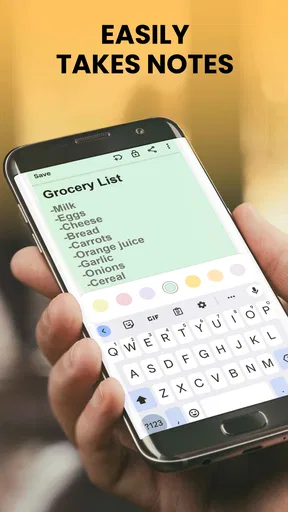
Upon launching the app, I was greeted by a clean, intuitive interface. You know that feeling when you open an app, and it just feels right? That's exactly what happened here. The layout is straightforward, making it super easy to dive right into jotting down notes or organizing tasks. Notes, Notepad, To-Do Launcher strikes a perfect balance between functionality and simplicity, which is something I genuinely appreciated.
The practical question is how much structure you actually need. If your day is built around quick capture—remembering an item, writing a short instruction, or keeping a small to-do list—the launcher approach has a clear advantage over a full project-management system. You can keep the content modest and let the app serve as a landing spot for loose ends. If, instead, you need linked documents, elaborate folders, shared workspaces, or a detailed view of dependencies, a dedicated planning or collaboration tool is likely a better fit. I wouldn’t choose a lightweight notepad as the sole record for a complicated team project.
The app is rated for Everyone, and its average rating is 4.3 from around 17,000 ratings, with roughly 7,300 written reviews. It has been installed over a million times, which suggests it has reached a broad audience, but popularity alone doesn’t tell me whether the interaction will suit you. I’d focus on your own needs: can you read the screen comfortably, find the note you need, and enter information at a pace that works for you? Those are more useful tests than a rating figure.
Worth Reading Before You Choose

EA SPORTS FC Mobile 26 Is a Bigger Football Game, but It Takes Time

Flipboard Shows What News Apps Must Do Beyond the Feed

Switching to Android Auto Means Rethinking Your Driving Routine

Google Calendar Makes a Crowded Week Easier to Manage

Ludo King Makes the Most of the Minutes Between Plans

Baby Panda World Brings Quick Play to Modern Phones, but Its Game Library Feels Busy
Different ways to capture a thought
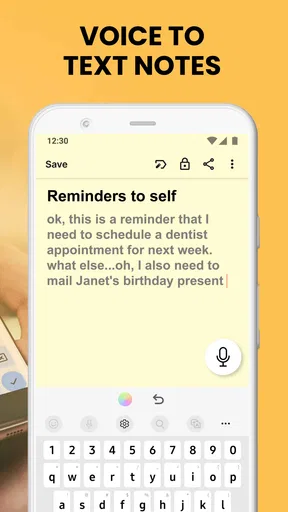
One of the first features that caught my eye was the ability to create multiple types of notes. Whether you want a simple text note, a checklist, or a voice memo, this app has got you covered. The checklist feature is fantastic for grocery runs or packing lists, while the voice memos are perfect for those moments when typing just isn't convenient.
That mix can help in different situations, but I’d use each format with a little intention. A checklist is best when every item can be checked off independently: groceries, things to pack, or small steps before leaving home. A regular note is better for information you’ll want to read as a whole, such as directions someone has given you. Voice input can be useful when your hands are occupied or typing is awkward, but it is not automatically the right choice in a quiet room, a shared space, or a place where you need to keep information discreet. Choosing the format before you start can prevent a pile of mismatched notes later.
A realistic routine might look like this: while making breakfast, I notice we are low on a few staples and add them to a grocery checklist. Later, on the way out, I add a reminder about a task I need to handle that day. At the shop, I can focus on checking off items rather than scrolling through an unstructured paragraph. The benefit is not that the app makes the decisions for me; it is that the information is captured in a form that matches the moment I’ll use it.
Reminders, timing, and sensible expectations
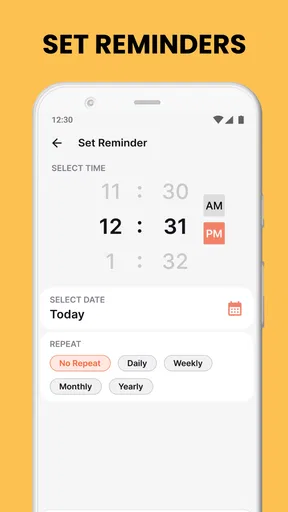
Another nifty feature is the app's integration with a calendar. It's like having a personal assistant tucked away in your pocket, reminding you of upcoming deadlines or events. Plus, the notifications are subtle but effective, ensuring you never miss a beat.
I’d reserve reminders for things with a real time consequence, such as an appointment or a deadline, and keep flexible intentions in a to-do list. That distinction reduces the chance that every small task becomes another alert competing for attention. It also makes the app easier to live with if notifications are distracting or if you already receive many prompts from other services. Before relying on a reminder for something important, it is sensible to create a low-stakes test and check that the alert appears in the way you expect on your device.
There is also a useful trade-off between keeping everything in one place and separating work from personal information. Putting a quick shopping list and a small work reminder together may be convenient, but it can make the list harder to scan if you keep adding unrelated notes. I’d use clear, recognizable wording and remove or mark completed items as part of a brief daily reset. If your notes contain sensitive details, think carefully before putting them in any general-purpose note app; a dedicated secure option may be more appropriate for private records.
Motor and sensory considerations
Customization Galore
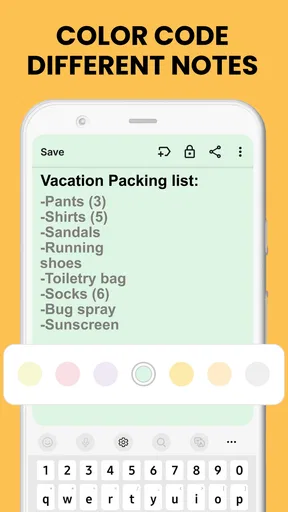
I'm a sucker for customization, and this app does not hold back. You can tweak the color schemes to suit your mood, and even change the themes to give your notes a personal touch. Organizing your tasks with different color codes? Yes, please! It’s a small touch, but it makes managing tasks and notes so much more enjoyable.
Color can make a list easier to distinguish at a glance, especially when you use a small, consistent set of meanings—for example, one color for household tasks and another for errands. I would avoid relying on color alone, though. A clear title or first word still matters for anyone who has difficulty distinguishing colors, is looking at the screen in bright surroundings, or simply doesn’t remember what each shade means. Keeping a short, stable color scheme is usually more useful than changing it whenever the mood strikes.
For someone who finds repeated typing uncomfortable, a voice memo may be a more natural way to capture a thought, while checklists can reduce the need to reread and mentally parse a block of text. On the other hand, voice capture may be awkward when speaking is difficult, privacy matters, or the environment is noisy. In those cases, short text entries may be the less frustrating option. I’d think of the formats as alternatives to choose from, not as a single workflow everyone should use.
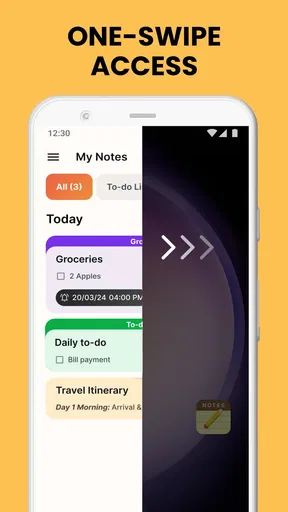
Because the app is a launcher, the idea of getting to a note quickly is central to its appeal. Still, fast access is only useful if the route works for your hands and habits. If you often use a phone one-handed, try your common actions in the places where you normally use them rather than judging the interface while sitting comfortably at home. A setup that feels easy at a desk can be less convenient while carrying bags or using a device on the move. I would keep important notes brief enough to recognize quickly and avoid depending on a long sequence of taps for an urgent task.
Where it may not fit
Room for Improvement?
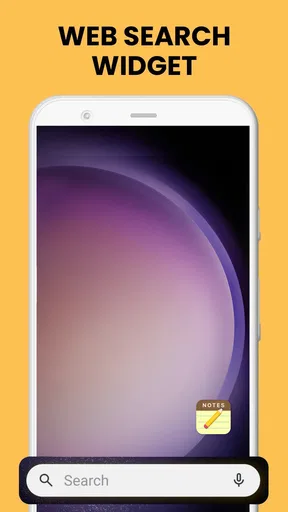
While my experience with the app has been largely positive, there are a couple of areas where I think it could improve. For instance, a dark mode option would be a welcome addition for those late-night brainstorming sessions. Also, a widget for quick access on my home screen would make it even more efficient.
Those preferences matter because comfort is personal: a bright screen can be tiring for some people in dim surroundings, while others may not mind it. I wouldn’t treat a theme choice as a substitute for checking whether text remains easy for you to read. If you rely on a specific display setting, test the app under your normal conditions before moving important routines into it.
But hey, no app is perfect, right? These minor drawbacks don’t take away from the overall functionality and user-friendliness that the app offers.
The bigger limitation is one of scope. A quick notes-and-tasks tool is not necessarily a replacement for a calendar that manages a packed schedule, a shared list that several people need to edit, or a project app that tracks ownership and progress. If you regularly need to search a large archive, organize many layers of information, or coordinate changes with other people, compare those needs against the app’s simple, personal workflow before committing. Keeping it for everyday reminders while using a separate specialist tool for complex work can be a more realistic arrangement than expecting one app to do everything.
Who I’d recommend it to
I’d suggest giving it a try if you want a straightforward place for personal notes, short checklists, and reminders, and you prefer a lightweight tool over a feature-heavy organizer. It may be especially handy for people who often think of tasks away from a desk and want a simple way to capture them before they disappear. The app is free, and version 2.11.0 requires Android 10 or later, so those are practical details to check against your device before making it part of your routine. AtomApplications released it on January 5, 2024.
I’d be more cautious if your needs depend on collaboration, extensive document organization, or a particular accessibility setting that you must have. People who prefer to plan visually across a week may also be better served by a calendar-first app, while someone managing a large research archive will probably want stronger organization and search tools. A useful way to decide is to try one ordinary task, one recurring reminder, and one checklist, then see whether you can find each again without changing your habits too much.
A practical inclusive verdict
In a world where we're constantly juggling tasks, Notes, Notepad, To-Do Launcher is like a breath of fresh air. It's simple, effective, and incredibly user-friendly. If you're looking for an app to streamline your notes and tasks without overwhelming you with unnecessary features, give this one a shot. Trust me, your inner organizer will thank you.
Ready to take control of your chaos? Dive into the app and watch your productivity soar!
My recommendation is modest but positive: use it for the small, recurring bits of information that otherwise end up on scraps of paper or in your memory. Keep lists readable, choose voice or text according to your surroundings, and reserve alerts for tasks that genuinely need a nudge. That approach makes the app’s simplicity work in your favor without asking it to replace tools built for deeper planning. If quick capture is what you need, it is worth seeing whether this compact routine feels comfortable on your own device.
Pros
- Intuitive interface for easy navigation.
- Syncs seamlessly across multiple devices.
- Customizable themes for personalization.
- Supports voice-to-text for quick notes.
- Integrates with popular calendar apps.
Cons
- Limited storage on free version.
- No offline access without premium.
- Ads can be intrusive in free version.
- Lacks advanced task management features.
- No collaboration tools for shared notes.
FAQs for Notes, Notepad, To Do Launcher
What features does the Notes, Notepad, To-Do Launcher app offer?
The Notes, Notepad, To-Do Launcher app offers a comprehensive suite of features including note-taking, task management, and a customizable launcher. Users can create and categorize notes, set reminders and deadlines for tasks, and personalize their device’s interface with ease. It's designed to enhance productivity by integrating all these functionalities in one app.
Is the Notes, Notepad, To-Do Launcher app free to use?
Yes, the app is free to download and offers a variety of features at no cost. However, there are in-app purchases available, such as premium themes and additional storage options, which enhance functionality and personalization. These are optional and not necessary for the basic usage of the app.
Can I sync my notes and tasks across multiple devices?
Absolutely, the app supports synchronization across multiple devices. By creating an account, you can ensure that your notes and tasks are updated in real-time across all your devices. This feature is especially useful for users who switch between devices and need consistent access to their information.
How secure is my data in the Notes, Notepad, To-Do Launcher app?
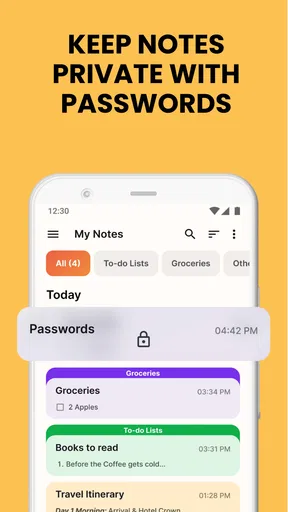
The app prioritizes user privacy and data security. It employs encryption to protect your notes and tasks. Additionally, users can enable password protection or biometric authentication to add an extra layer of security, ensuring that only authorized users can access sensitive information.
Does the app offer integration with other productivity tools?
Yes, the Notes, Notepad, To-Do Launcher app integrates seamlessly with other productivity tools such as calendars, email, and cloud storage services. This integration allows users to easily import tasks, manage schedules, and back up data, providing a cohesive and efficient productivity experience.


